How to modify or cancel a reservation (for guests)
This article is related to a guest modifying, changing, adjusting or cancelling a reservation time or number of dogs. To learn how to cancel a reservation as a host, go here.
Our cancellation and modification policy applies.
You can extend, modify or cancel a reservation by following these steps:
- Go to your visit page.
- On web, click your profile photo and click Visits.
- On mobile, click the Visits tab.
- Select the reservation you wish the extend, modify, or cancel.
Modify or Extend
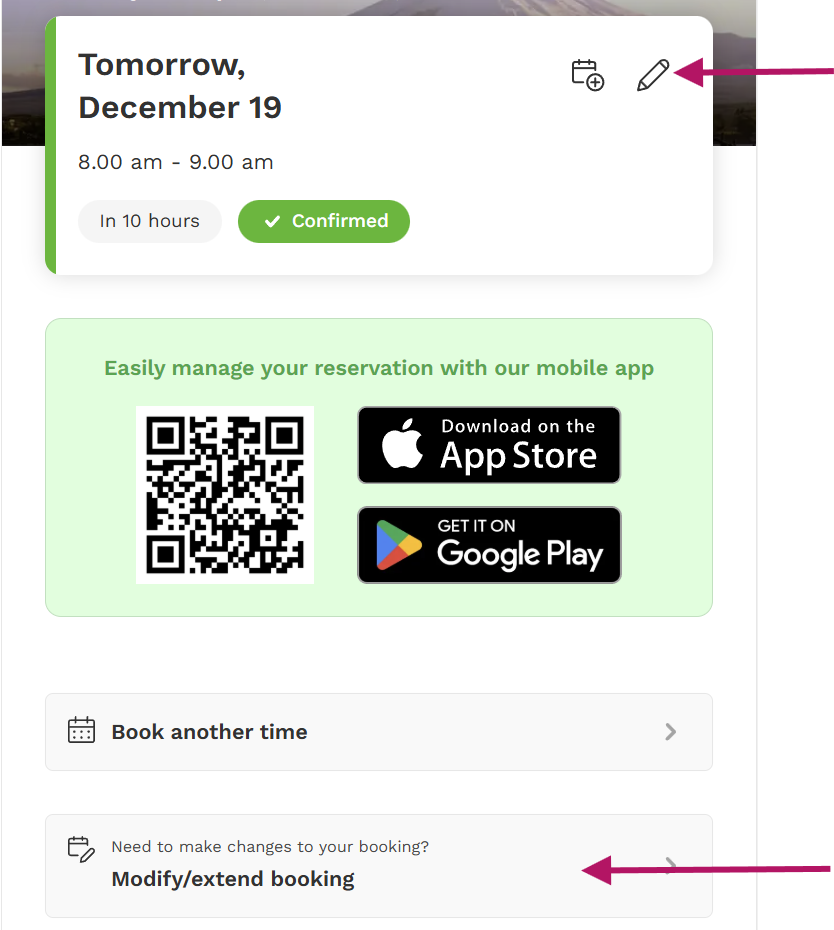
To modify or extend, click the pencil icon, or select the option to Modify/Extend booking.
You can change the time, date, duration, dogs, or Extras on this page.
Cancel
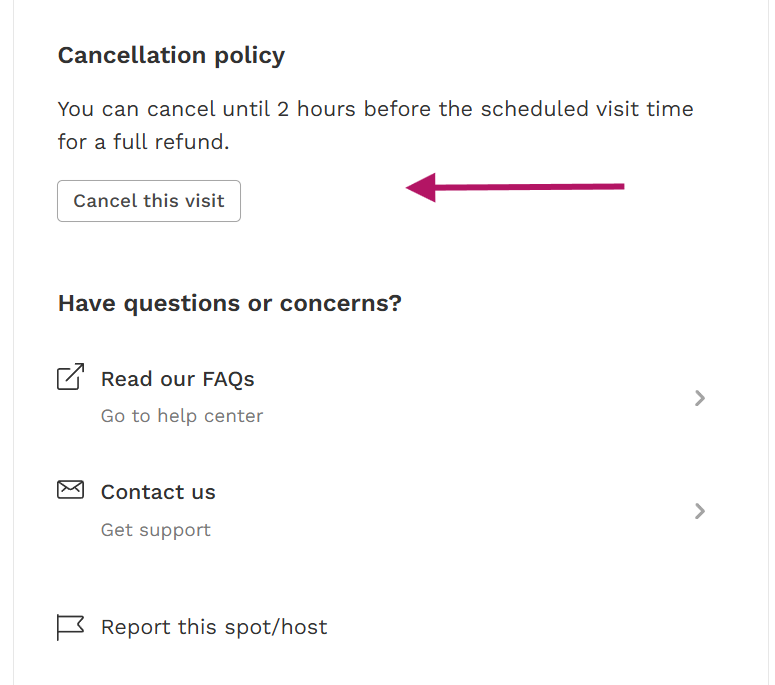
To cancel your reservation, scroll to review the Cancellation policy and click Cancel this visit. You can also use the link at the bottom of the email to access the cancellation page
The amount of the booking will be returned to your card within 5 - 10 business days. If you used a promo code for the booking, the value used on the booking will be immediately returned to your promo code.